Why I dropped my terminal assistants for DeepSeek Harness
Hook
In August 2026, my daily development workflow hit a wall.
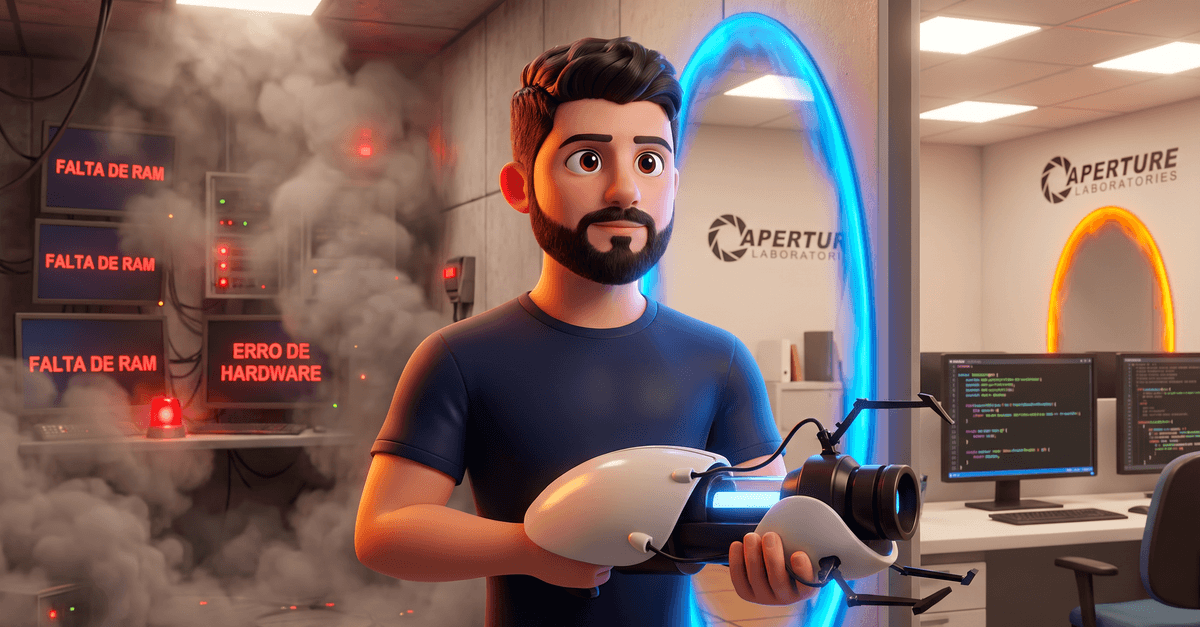
I was keeping four terminal tabs open in parallel running local assistant instances across different repositories, watching RAM get eaten up gigabyte by gigabyte until the machine froze completely right in the middle of a refactor. The slowdown was constant. Switching context between workspaces turned into an exercise in patience and process monitoring.
I decided to write this post to explain exactly why I switched to start using DeepSeek Harness, breaking down the technical reasons that led me to choose this tool over any other tool on the market. It comes down to a practical choice about usability, modular architecture, and actual resource control.
Estimated reading time: 6 min
The context
In my daily development routine, I relied on three core pieces: Claude Code, Pi Coding Agent, and OpenRouter to route calls to various models. On paper, this setup handled everything from architecture decisions to quick code edits.
In practice, the workflow broke down as soon as I needed real parallelism across multiple workstreams. Sticking strictly to terminal interfaces looks clean at first glance, but managing several simultaneous workspaces across dozens of console tabs creates constant friction. Memory usage just doesn't scale.
Each active Claude Code session ate up hundreds of megabytes of RAM, so keeping four or five instances open across parallel branches choked the entire machine fast. Way too heavy.
Then there was the rigidity of their internal components. Even when using OpenRouter to plug in alternative models through proxies, the internal plumbing of these tools stayed locked down, blocking any direct tweaks to the reasoning loop, model adapters, or file containment policies. I needed direct operational control over the execution runtime.
What happened
Back in August 2026, when I decided to test DeepSeek Harness for the first time, I expected just another terminal wrapper with tweaked prompts. Reality was quite different. In practice, the tool works like a carbon fiber chassis: strong and lightweight, built so you can swap out any part without compromising the structure.
This flexibility comes directly from the Cordis microkernel. In standard assistants, the agent reasoning loop and tool registry form an untouchable monolith. With Harness, there is no privileged core. The language model adapter, sandbox policy, filesystem calls, and the execution loop itself operate as independent plugins. If I need to switch between Azure routes, direct DeepSeek endpoints, or the OpenRouter catalog, I change declarations in the configuration file and the system picks up the new services at runtime without recompiling artifacts or restarting the server.
The direct impact was on resource management. In my previous setup, opening multiple parallel instances across isolated terminals spawned heavy processes that ate up RAM. With DSH's decoupled architecture serving a lightweight web UI from a single background process, I started running dozens of active tasks in parallel without any slowdowns. The tool gave me the operational stability my dev environment lacked.
The turning point
The real turning point happened when I ran into a classic daily bottleneck: switching branches and directories while a conversation with the agent was already underway. In closed CLI assistants, switching branches mid-thought forced you to kill the session, run git commands manually, and hope you didn't lose the thread. If you need three branches open to test parallel fixes, the workflow breaks. I was missing a clean way to spin up git worktrees without friction.
When I tackled the problem inside DeepSeek Harness, the architectural difference was obvious right away. How easy it was to build a custom extension caught my attention on day one. Thanks to Cordis's event and service model, I didn't have to deal with forks or hacky external scripts. I directly hooked into the new conversation screen to create a native trigger. The behavior is straightforward: when you pick a folder, the plugin creates the matching git worktree and starts the agent's chat right inside that isolated directory.
That was the moment I made up my mind. No other alternative gave me that flexibility without high memory usage or maintenance overhead. I decided to package the implementation into the open-source project dsh-worktree-jump, cementing my move to Harness over any other tool.
If you run the GUI and want to add this worktree shortcut to your web profile, just run:
dsh plugin --profile web add github:frederico-kluser/dsh-worktree-jump
Once the package is in the profile manifest, the loader applies the extension on the next start, without manual builds or invasive system tweaks.
Lessons I learned
-
The UI cannot dictate workflow boundaries. Monolithic terminal assistants seem fast in your first open terminal, but they become an anchor once you run ten parallel workspaces and watch the process eat gigabytes of memory with no valid excuse. My mistake was sticking with them. Looking back, I should have dropped these opinionated CLIs much earlier in favor of a lightweight, modular base. Real productivity gains happen when the tool adapts to your folder structure, never the reverse.
-
Real extensibility beats ready-made black box convenience. A packaged commercial assistant handles the basics on day one. Yet the second you need to intercept a lifecycle event or plug in custom behavior like spawning git worktrees on demand, the closed system blocks you cold. I should have prioritized microkernel architectures, like Cordis in DeepSeek Harness, from my earliest tests. Having plugins with a reversible lifecycle saves weeks of ugly workarounds.
-
Execution isolation and permission governance require clean separation. Mixing the presentation layer with OS permission rules is a bad design flaw. I no longer accept tools that tie command execution directly to rigid interfaces. Defining sandbox and approval policies apart from the core engine gives you strict technical control over every single call, keeping the machine stable even with multiple processes running at the same time.
What I would tell my past self
Stop accepting black boxes.
We often get attached to assistants with polished interfaces just because setup felt fast. The real issue is that these out-of-the-box solutions tend to hide sloppy engineering choices, ranging from runaway memory usage to artificial locks on which models and tools you can actually use.
Real agent productivity comes from being able to inspect and shape your setup the exact moment you need to, free from vendor lock-in. The trendy binary packaged by someone else won't give you that.
I would tell myself to switch to DeepSeek Harness much earlier, picking a modular foundation over any closed CLI. Keeping control through declarative local settings, defining clear API routes, and slotting in custom plugins for specific bottlenecks pays off every minute spent setting it up. When you own your environment, your development flow simply doesn't break.
Final thoughts
DeepSeek Harness earned its place in my daily workflow because it puts hands-on architectural control back with the developer. Simple as that. Choosing this modular foundation over black-box terminal tools resolved my RAM overhead for good and stripped out the friction of jumping between work contexts. When the core stays lean and every piece can expand to fit your technical needs, the agent stops being a bottleneck and starts bending to your code.
I want to know how you handle multiple concurrent repos and manage resource drain from these tools day to day. Share your takes and setups over in the community Slack or the WhatsApp groups. Give it a run.